Tuesday, September 8, 2015

Resetting the admin password of Drupal 7

Frequently we come across Drupal sites where admin  password is not known to the owner of the site. You can retrieve the password by changing the email address of user 1 to your email address and then use the forgot password option to reset your password. But if you don't want to change the user 1 email address but instead just want to change the password of user 1 there is an easier alternative

Use below PHP Code in index.php of drupa with URL paramas as  ?pass=PASSWORD and run. After that roll back to old index.php
 
It Will  set your admin password to PASSWORD

define('DRUPAL_ROOT', getcwd());
require_once DRUPAL_ROOT . '/includes/bootstrap.inc';drupal_bootstrap(DRUPAL_BOOTSTRAP_FULL);
require_once DRUPAL_ROOT . '/includes/password.inc';
if (isset($_GET['pass']) && !empty($_GET['pass'])) {
  $newhash =  user_hash_password($_GET['pass']);
}
else {
  die('Retry with ?pass=PASSWORD set in the URL');
}
$updatepass = db_update('users') 
  ->fields(array(
    'pass' => $newhash,//    'name' => 'admin',
//    'mail' => 'yourmail@example.com'
  ))
  ->condition('uid', '1', '=')
  ->execute();
print "Done. Please delete this file immediately!";drupal_exit();?>

Sunday, September 6, 2015

Simple SEO things with Google Webmaster Tools

Below are some points that makes your website indexed in google search results with help of google webmaster tools


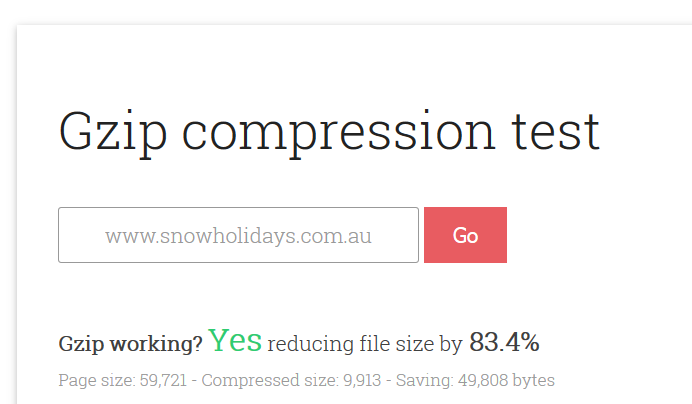
Check Gzip compression enabled in website

Below is an online tool to test if Gzip compression is working on your webpage.

https://varvy.com/tools/gzip/


Use Google PageSpeed Insights to check speed of your website.


You can check your website speed here

https://developers.google.com/speed/pagespeed/insights/?url=

There is mobile and desktop view checking in one go.

CSS , JS and Image optimization tips are there , if not optimized.

Also Googlechrome plugin is available in chrome store

Drupal 7 reset password programmatically

You can use the _user_mail_notify() function, along with a user object, to invoke the password reset email:
// Load a user (admin in this case).
$account = user_load(1);

// Invoke the email. It will be queued along with other system mail to be sent during cron
_user_mail_notify('password_reset', $account);
A one time login URL with a 24 hour expiry is included by default with that particular email.

Friday, September 4, 2015

Drupal - tune speed and performance

Drupal is really good for a lot of things when it comes to websites. One thing that can sometimes get overlooked or can lag behind (if you don't hire the right team) is the speed of your site. With all of the modules being added and configured, some things are forgotten that help to fine tune speed and performance.
This situation is not uncommon for websites. If you're stuck with a slow site, and think you have to fork over more money to fix it, think again. Before you spend more money on additional server resources or hire a consultant, here are some tips and tricks you can do to help speed up your site. I've done my best to order these by complexity.
  • Drupal Performance - Drupal 7 comes with some pretty good tools for increasing the performance of your site.  Enabling these is always a good first step in increasing your site performance.  You can find these configuration options on the admin/configuration/development/performance page.
    • Page Caching for Anonymous users
    • Block Caching
    • Aggregate/Optimize Stylesheets and Scripts
  • CSS Emimage(link is external) - This is a contributed Drupal module which helps speed the rendering of background images from your site's CSS files.  It's a plug-and-play module that you enable from the modules page and then activate from the performance page (mentioned above) - that's it.
  • Views Cache (If your site isn't views-heavy this won't help you much.) By default, views within Drupal aren't cached. Therefore, these pages (and blocks) are exempted from the cache settings you configured above. This is because views are intended to be dynamic aggregations of content and, therefore, by definition, excluded from cache. However, if you have a complex view, it might be good to have some cache settings on your view to help that page load more quickly.  NOTE: if you enable views caching, make sure you configure the expiration settings so that new content is shown on the view when rendered.